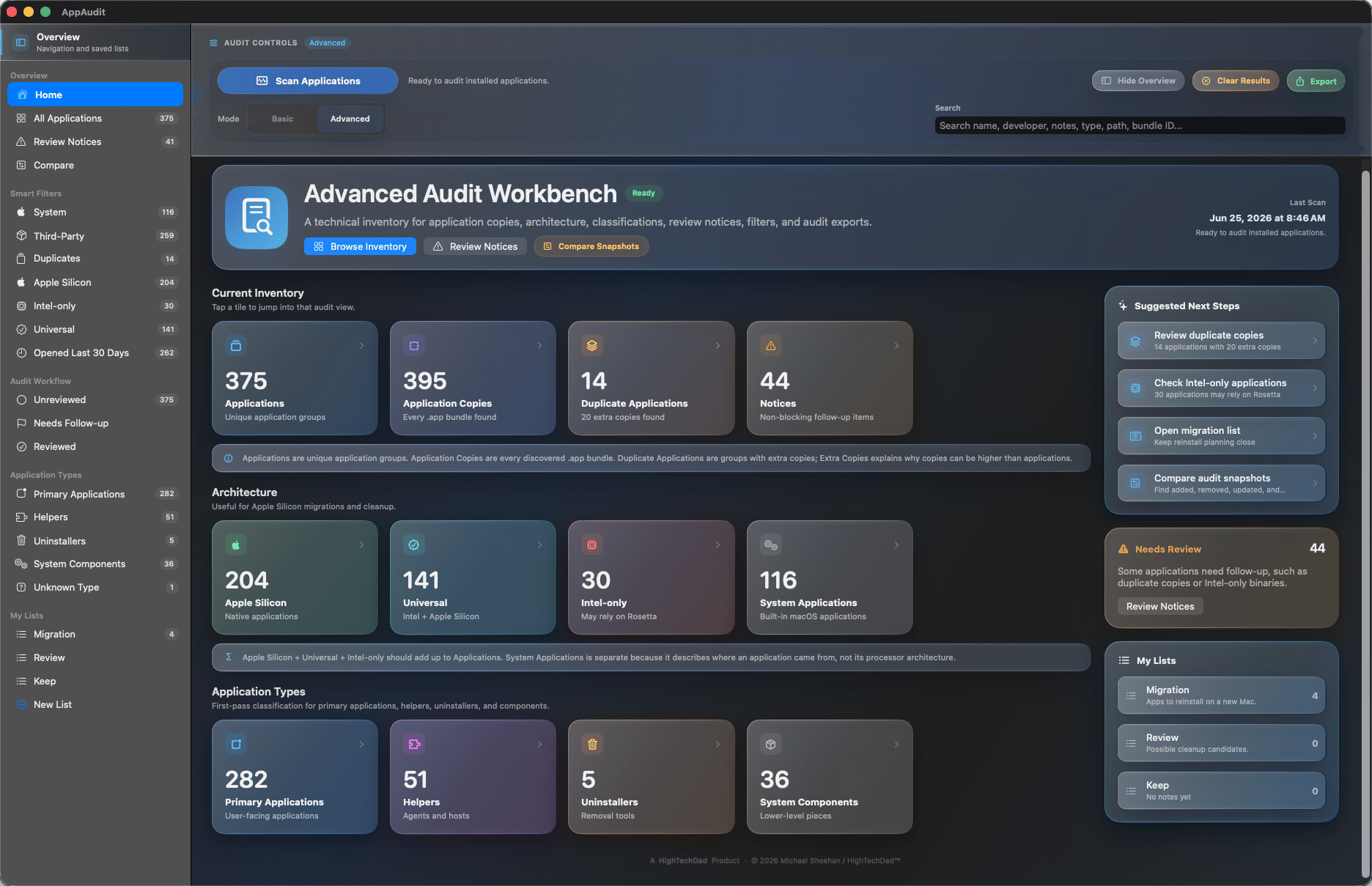








Know what is installed on your Mac

AppAudit brings clarity to your Mac application inventory

From duplicate apps and outdated versions to hidden helpers, architecture details, and review-worthy installs, AppAudit helps you see what is really on your Mac so you can take action.

Included in FREE and PRO

Core AppAudit features that help you understand what is on your Mac

AppAudit gives every user a practical set of tools for scanning installed apps, spotting duplicates, reviewing important details, organizing what matters, and planning cleanup or migration work.

  • Scan your installed apps in one place

    Get a clearer view of what is installed on your Mac without relying on Finder alone.
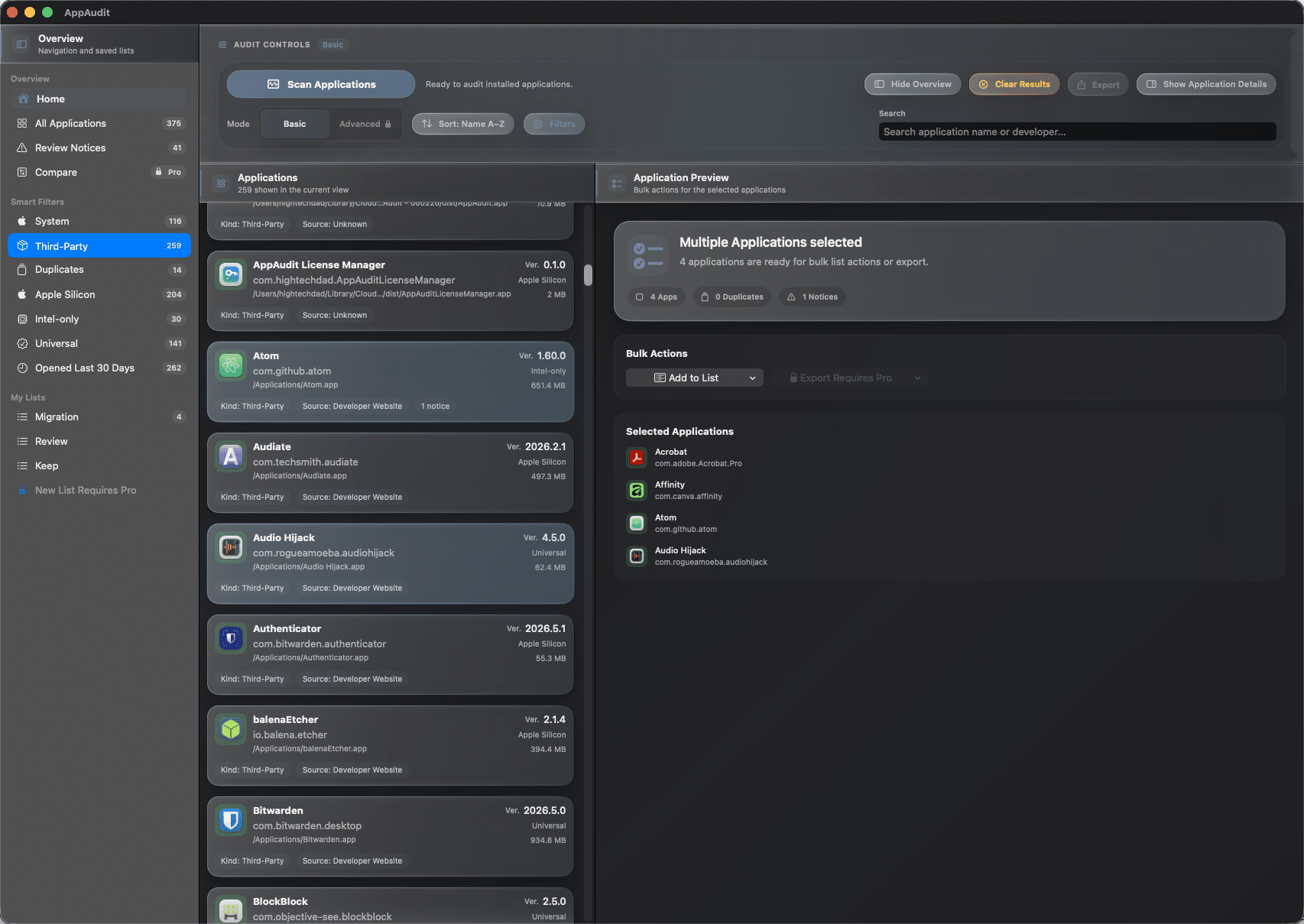
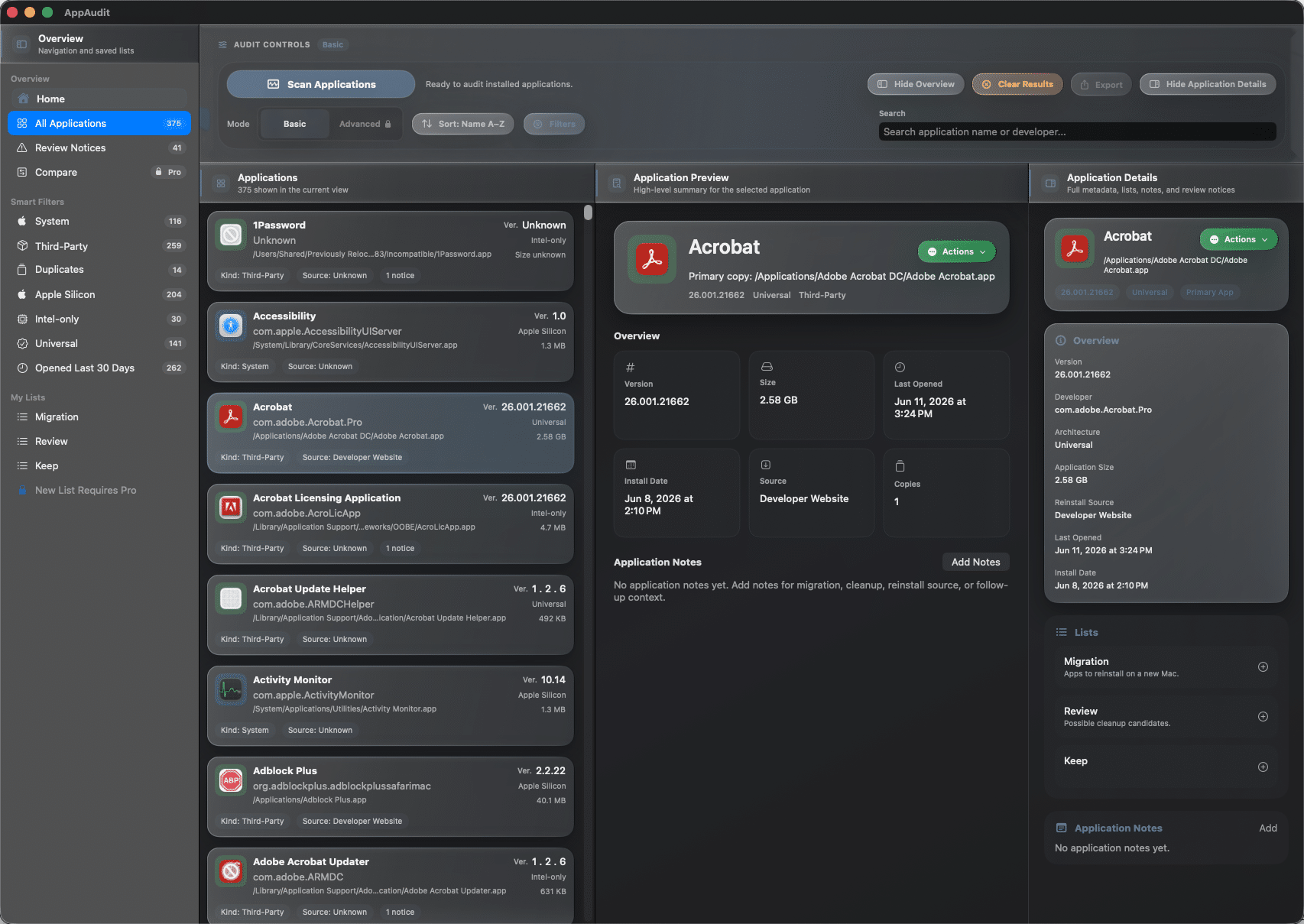
    AppAudit - Basic Selected Applications
    • Scan installed .app bundles across your Mac

    • Include running apps when macOS exposes their paths

    • See scan totals for apps and copies found

    • Cancel a scan and keep results already collected
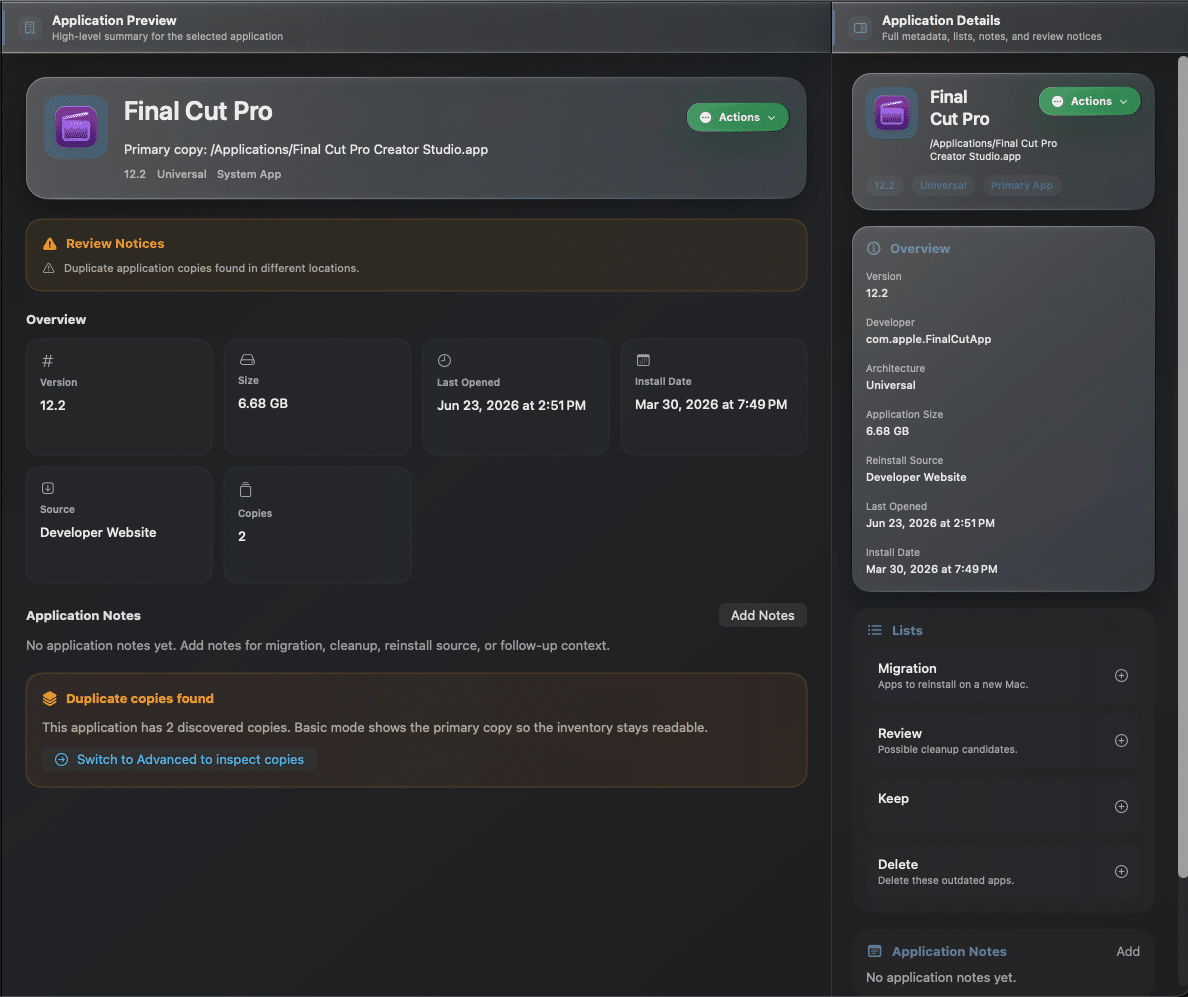
  • Spot duplicate apps faster

    AppAudit helps you see when more than one copy of the same app exists, so duplicates do not stay hidden.

    AppAudit Basic - Duplicates
    • Detect apps with multiple discovered copies

    • See duplicate counts in the dashboard and app list

    • Review grouped duplicates without cluttering the main view

    • Use duplicate prompts to understand what needs attention

  • Review the details that matter

    Open an app’s details to understand what it is, where it lives, and whether it may need follow-up.

    AppAudit Basic - Application inventory details
    • See app path, version, size, and important dates

    • View review notices and copy counts

    • Display real app icons for easier visual scanning

    • Understand the primary copy at a glance

  • Find the right apps quickly

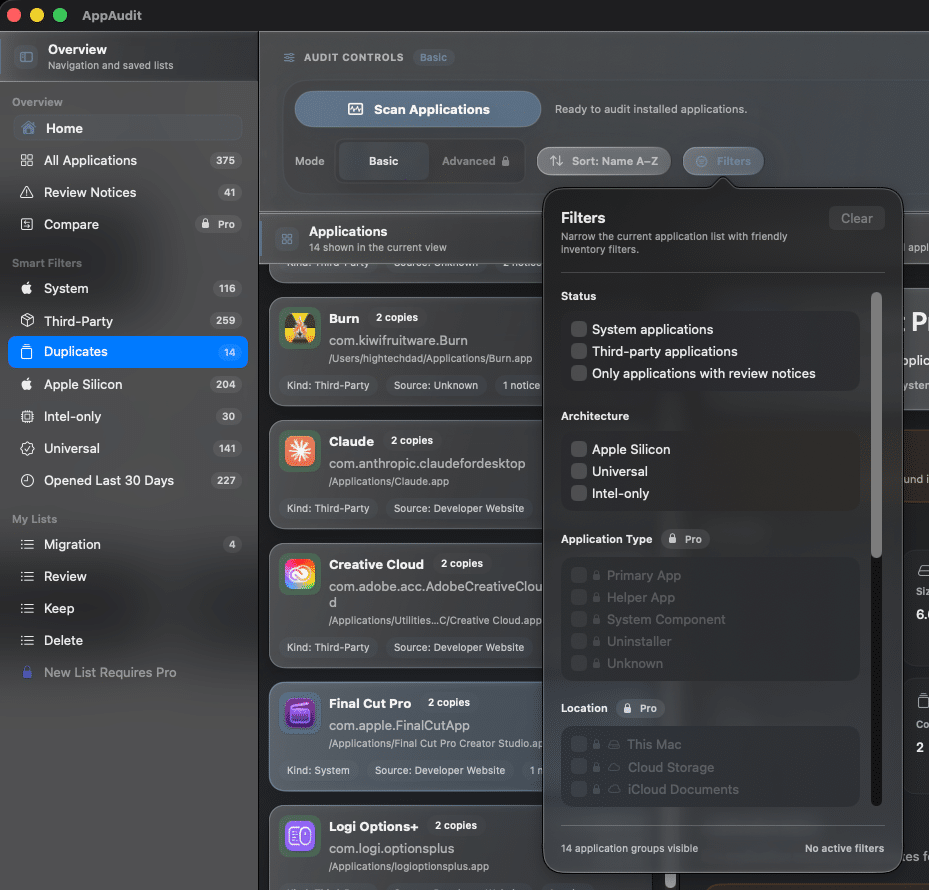
    When your inventory gets long, AppAudit helps you narrow it down to the apps you actually need to review.

    AppAudit Basic - Filters
    • Search by app name or developer

    • Sort by name, version, size, or dates

    • Filter by duplicates, system apps, and third-party apps

    • View Apple Silicon, Universal, and Intel-only apps

  • Turn inventory into a plan

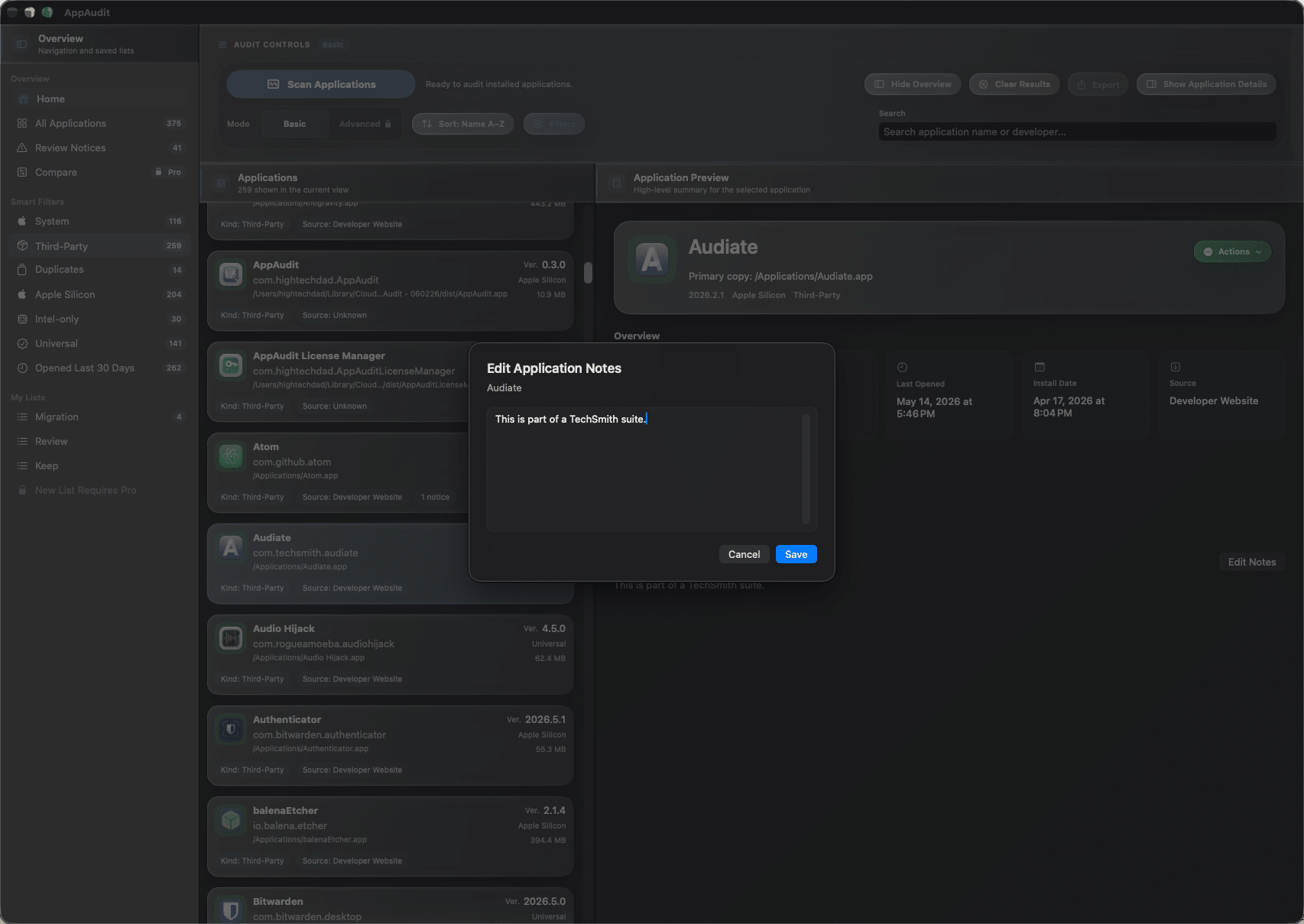
    AppAudit is not just for looking. It helps you organize what to keep, review, reinstall, or clean up later.

    AppAudit Basic - Notes
    • Add notes to apps as you review them

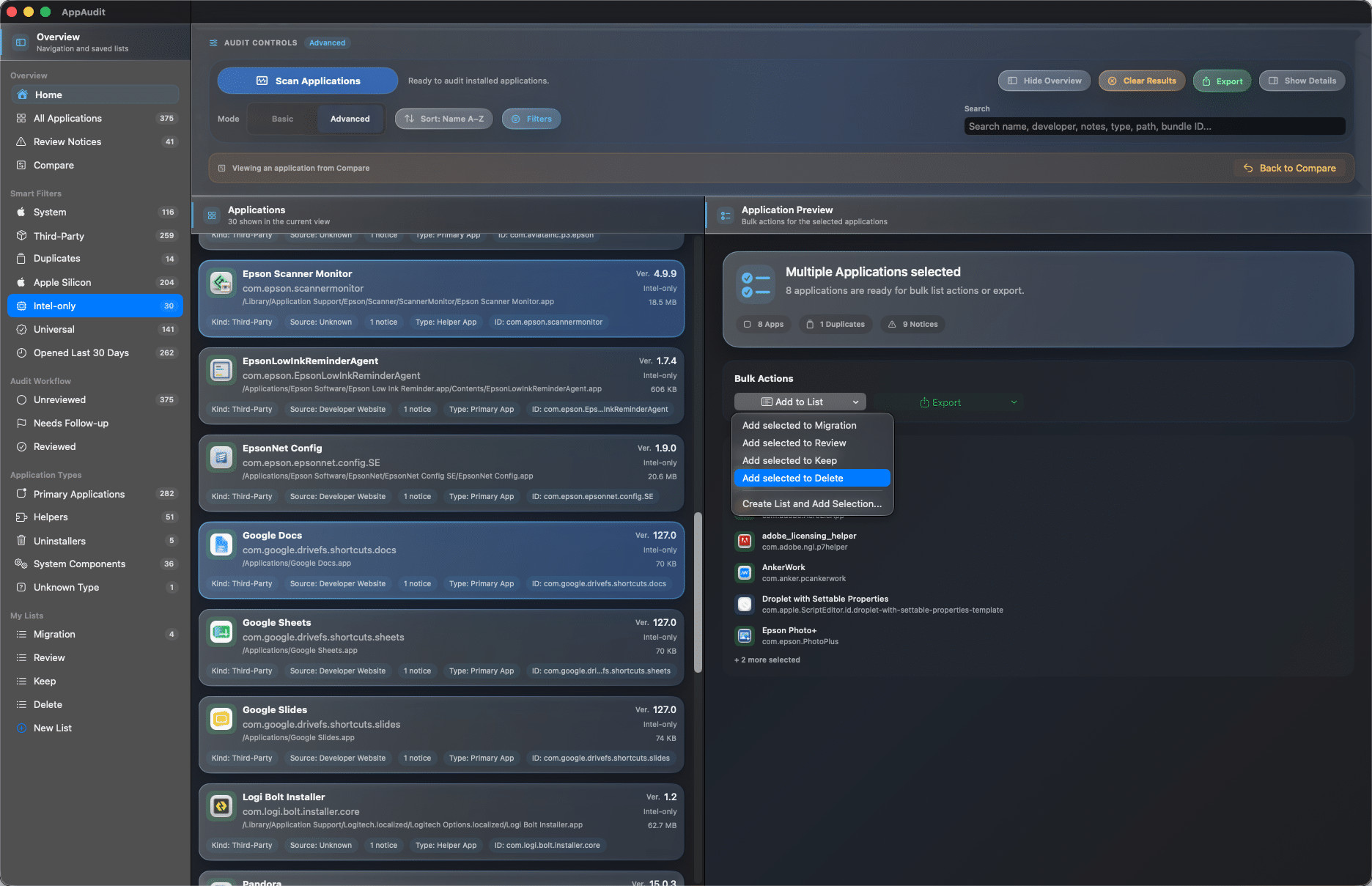
    • Create custom lists for real cleanup or migration tasks

    • Use multi-select to organize several apps at once

    • Keep list membership even after rescanning

  • Get oriented without guesswork

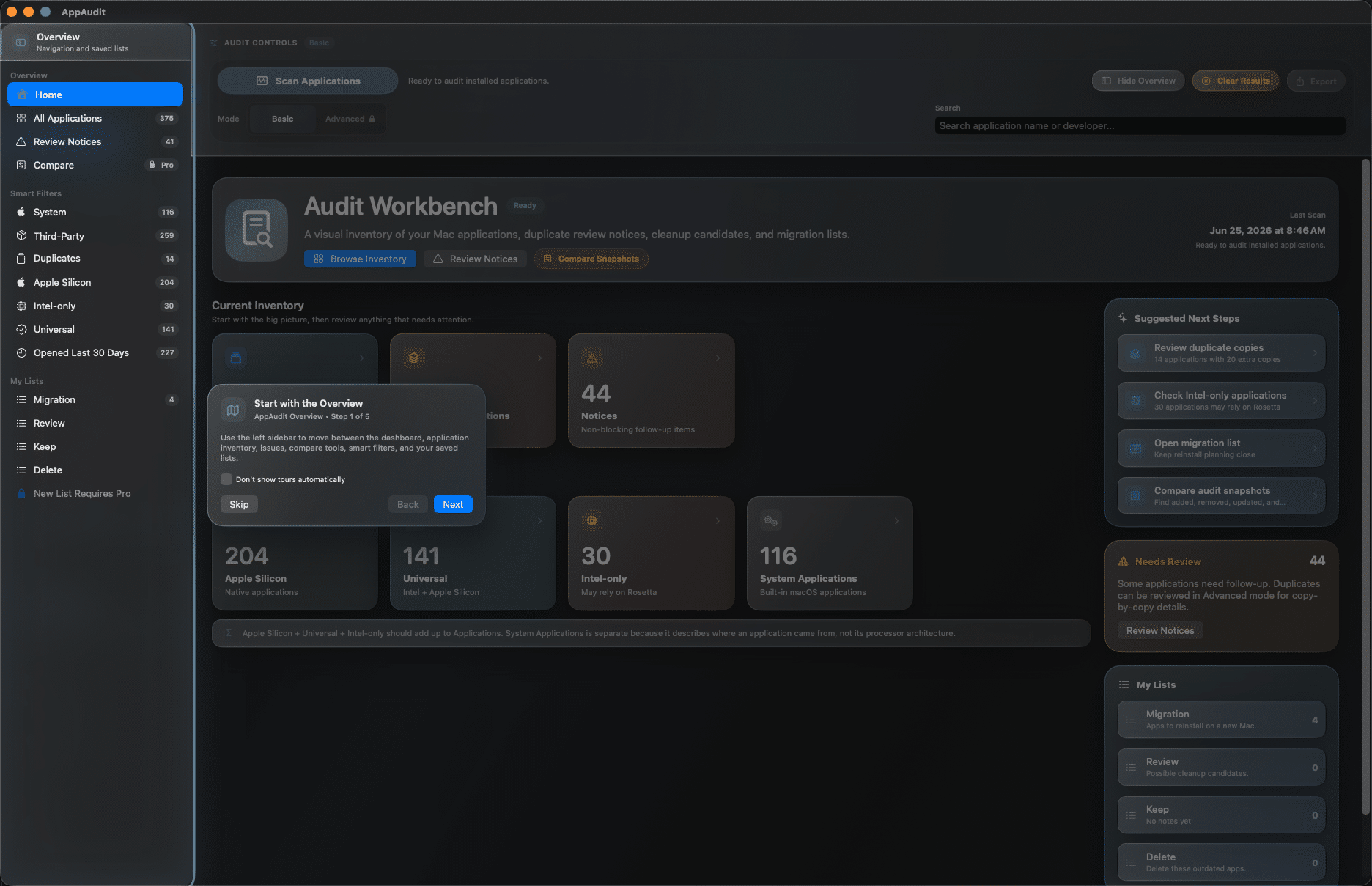
    Built-in guidance helps both technical and nontechnical users feel comfortable using AppAudit.

    AppAudit - application tour and help
    • Follow guided tours inside the app

    • Use built-in help for common workflows

    • Easily review macOS permissions needed for AppAudit

    • Reduce stress during cleanup and migration

AppAudit Pro

Go deeper with advanced audit and comparison tools

AppAudit Pro unlocks the features that go beyond basic inventory: deeper inspection, stronger reporting, and more powerful ways to compare, review, and act on what is installed on your Mac.

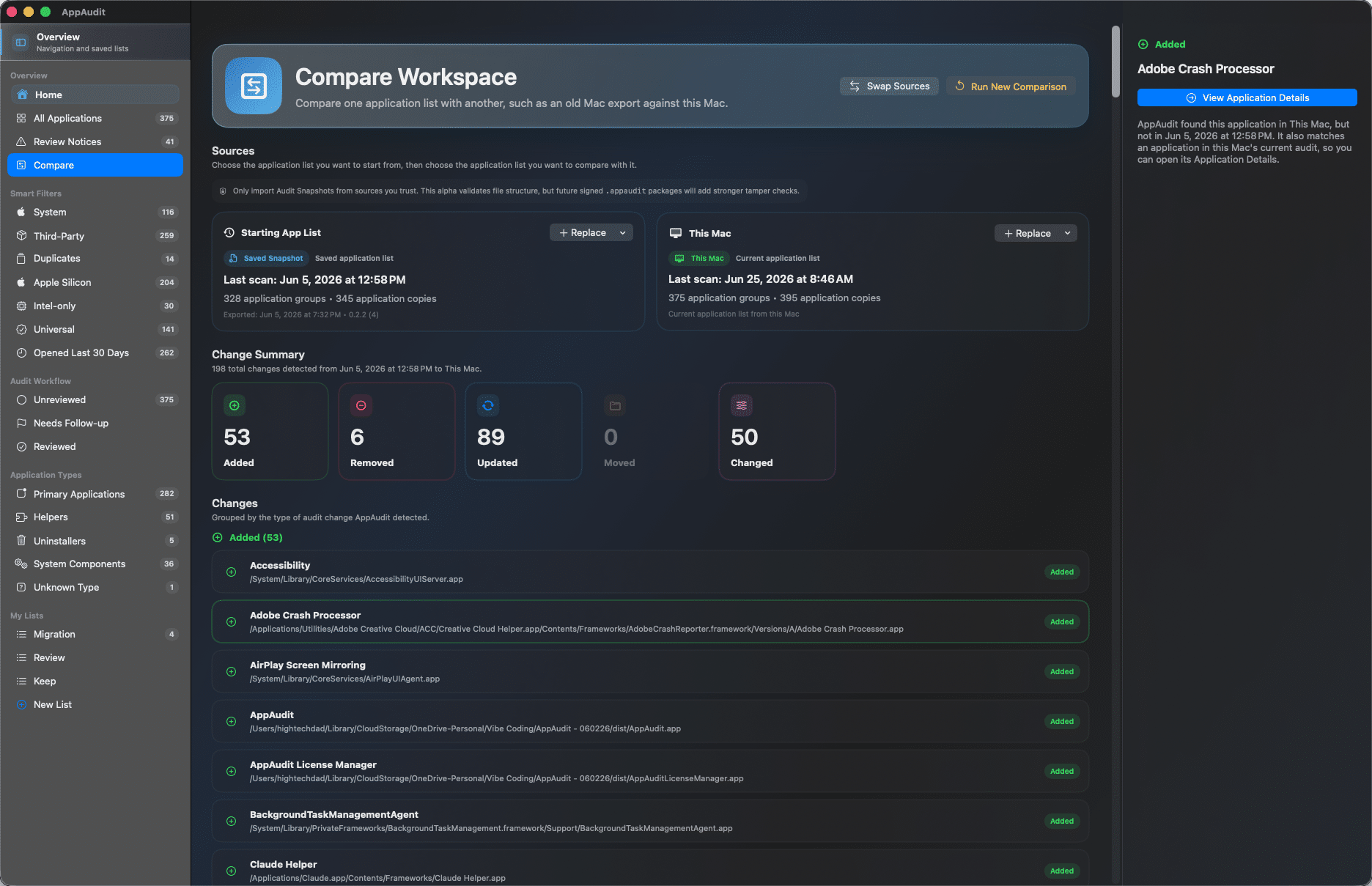
  • Compare Macs and audit snapshots

    See what changed between systems or scans by comparing the current Mac with saved AppAudit snapshots to spot added, removed, updated, or moved apps.

    AppAudit Pro - compare workspaces
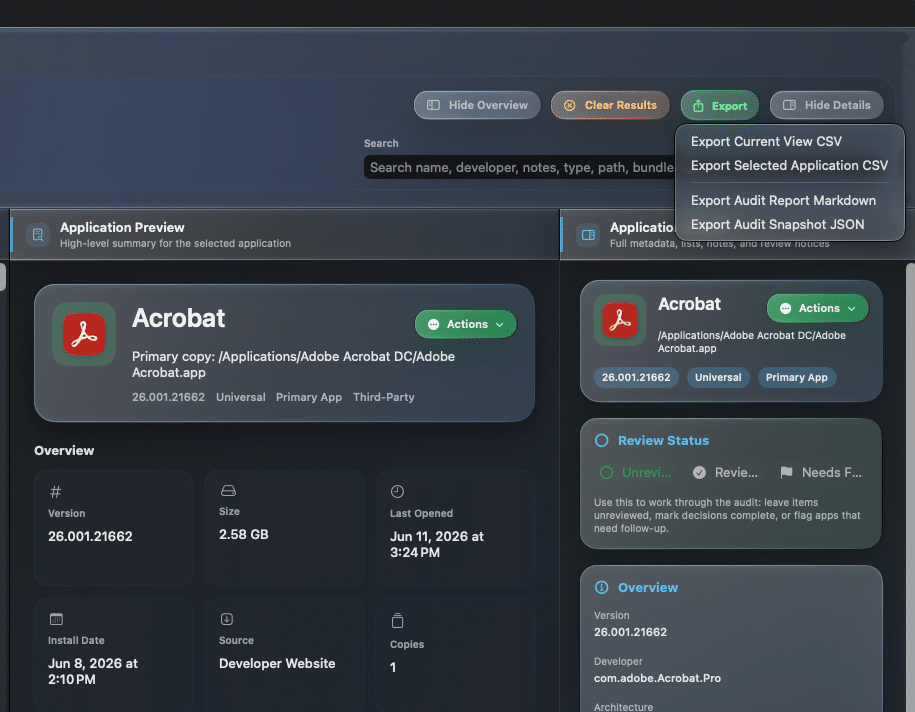
  • Export reports and snapshots

    Export CSV files, Markdown audit reports, and JSON snapshots so you can document a setup, plan a migration, or keep a reliable inventory record.

    AppAudit Pro - Export Details
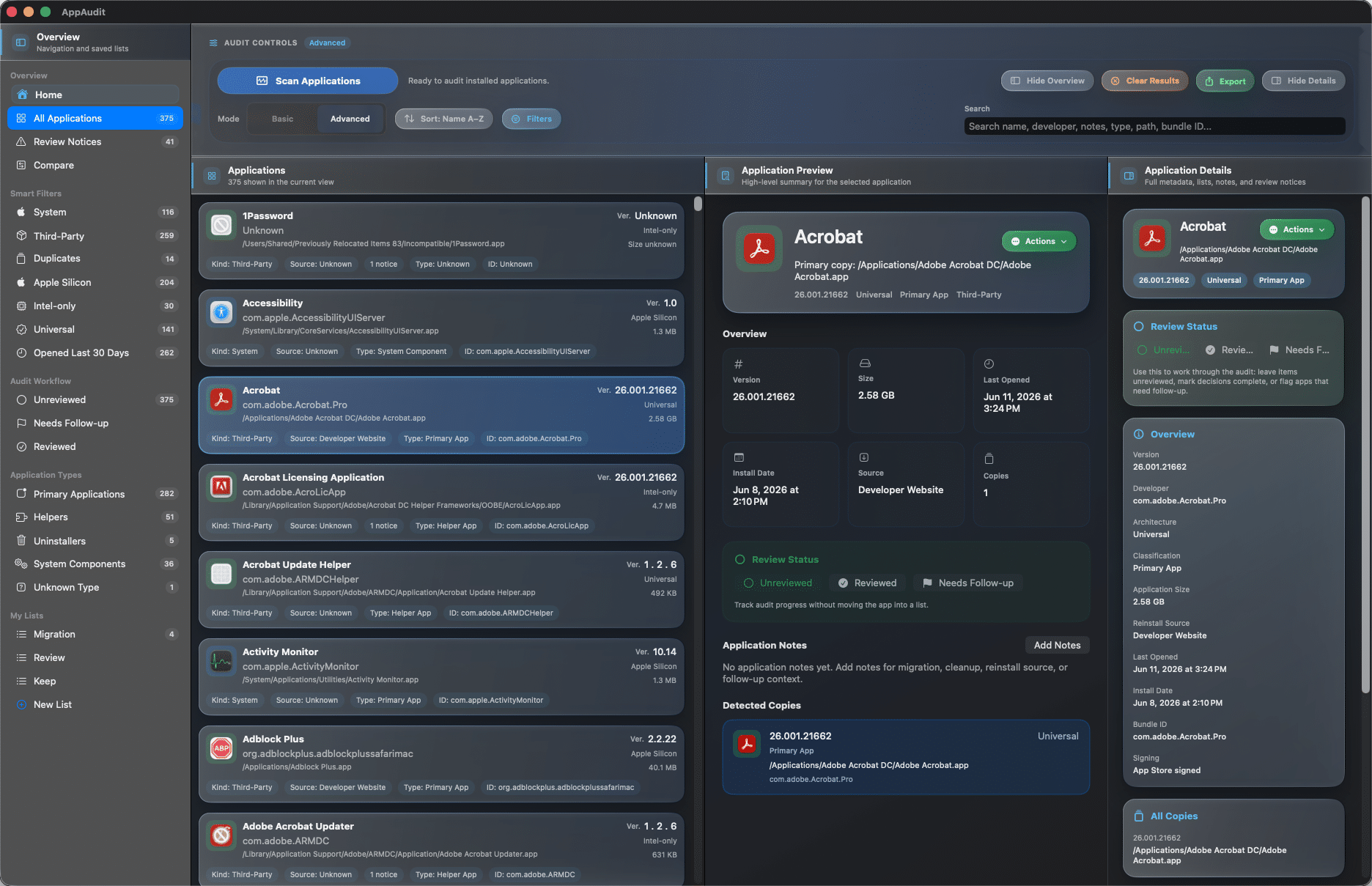
  • Inspect every app copy

    Go beyond grouped duplicates and review each discovered app copy with its location, architecture, bundle details, and related metadata.

    AppAudit Pro - Application Details
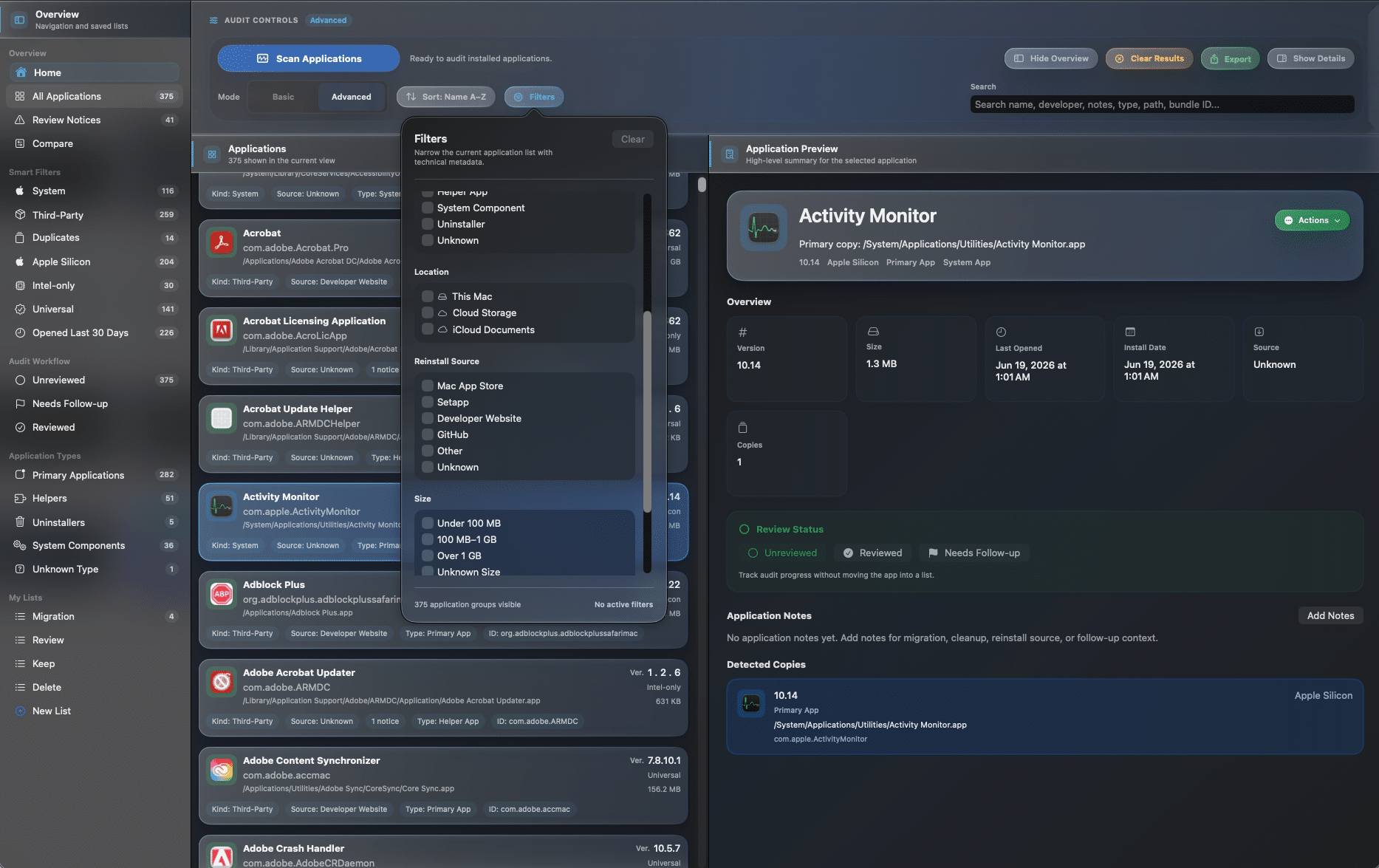
  • Use advanced filters and search

    Narrow large inventories with deeper search plus filters for app type, reinstall source, size, last-opened history, and detected locations.

    AppAudit Pro - filters
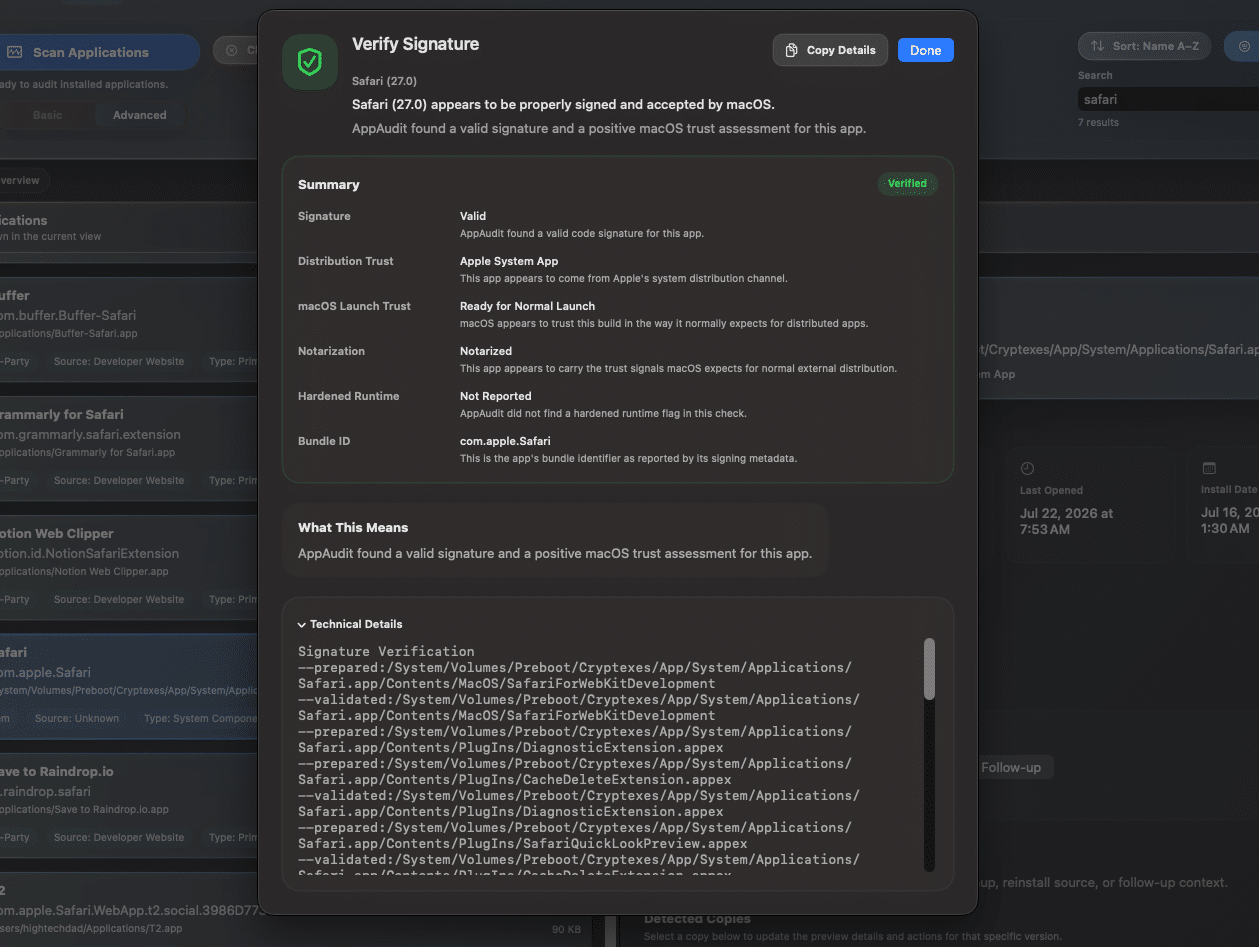
  • Verify trust and inspect security details

    Use Verify Signature and Inspect Security Profile to review code-signing, entitlements, runtime protections, and other security context in a clearer, more informative format.

    AppAudit Pro - verify signature
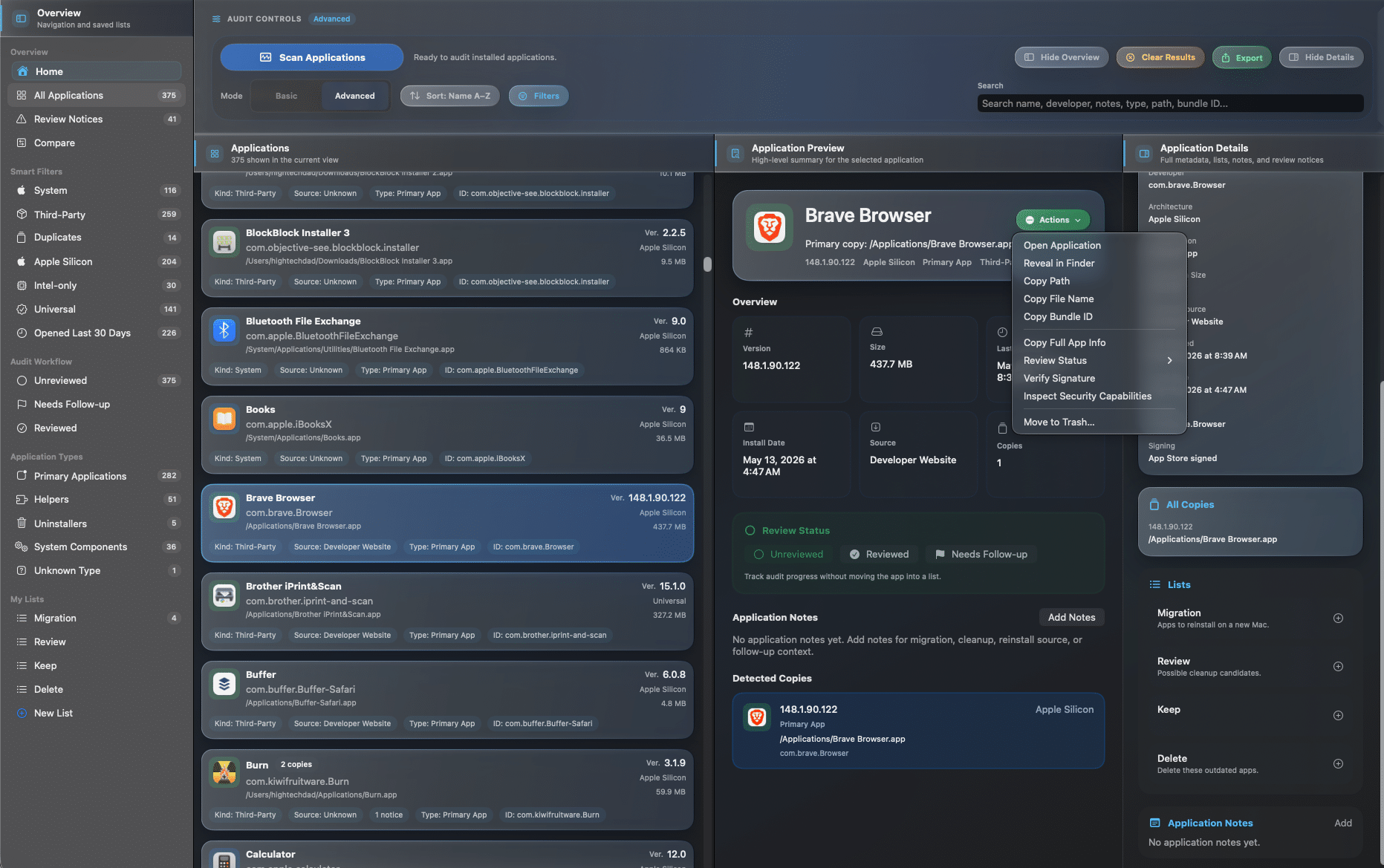
  • Track review status and take action

    Track review progress with statuses like Unreviewed, Reviewed, and Needs Follow-up, then take action with the tools and context you need right from the advanced workspace.

    AppAudit Pro - Lists, Actions, Notes

Helping clients, family, or small teams too?

AppAudit Consultant builds on Pro for consultants and trusted tech helpers who need to provide temporary customer access for real support sessions.

AppAudit Consultant - settings
Why cleanup gets complicated

The apps on your Mac are often harder to understand than they should be

Over time, app inventories get scattered, duplicated, outdated, and harder to trust. Before you remove anything, you need a clearer picture of what is installed and what still matters.
Application chaos without AppAudit
  • 1+

    Copies of the same app

    One app can exist in more than one place, making version tracking and cleanup more confusing than expected.

  • 0+

    Days since you last opened it

    Older or forgotten apps can sit untouched for weeks, months, or longer without giving you a clear reason to keep them.

  • 0+

    Places an app might be hiding

    Apps can be spread across standard folders, alternate locations, cloud storage, or attached volumes.

  • 0?

    Simple question before cleanup

    Is this app still needed, safe to remove, or worth reviewing first? Without better visibility, even simple decisions feel uncertain.

Choose your edition

Start free, then unlock deeper audit tools with Pro

AppAudit Free gives you a practical app inventory and review workflow. AppAudit Pro unlocks advanced inspection, exports, comparisons, and deeper audit tools in the same app.

  • FREE

    A practical starting point for understanding what is installed on your Mac.

    $0

    Download free

    Included features:

    • App inventory and scan summary
    • Duplicate detection and review notices
    • Notes, lists, search, and core filters

FAQ

Frequently Asked Questions

Have questions about how AppAudit works, what Pro unlocks, or how to get started? Here are a few of the most common ones.

View all FAQs

AppAudit helps you understand what is installed on your Mac by scanning your applications, identifying duplicates, surfacing useful details, and giving you tools to review, organize, and plan cleanup or migration work more confidently.

Yes. AppAudit Free gives you a practical app inventory and review workflow, including scan results, duplicate detection, notes, lists, search, and core filters. You can use it right away and upgrade later if you want deeper audit tools.

AppAudit Pro unlocks the Advanced workbench, copy-by-copy inspection, advanced filters, export tools, comparison workflows, review tracking, and other deeper audit features for more technical or large-scale cleanup and migration projects.

No. AppAudit is designed to help you review what is installed and make more informed decisions first. Pro includes guarded cleanup actions for eligible apps, but AppAudit is built around visibility and control rather than automatic removal.

Get a clearer view of what is installed on your Mac

Start with AppAudit Free or unlock Pro when you are ready for deeper inspection, exports, comparisons, and advanced audit workflows.